
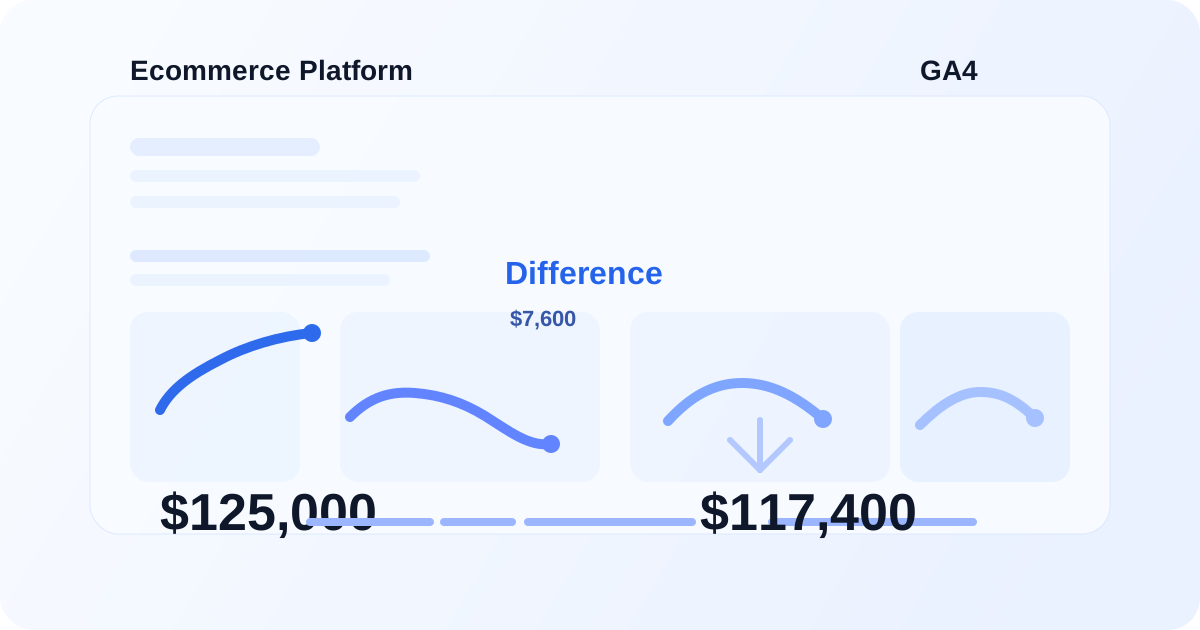
If you've ever compared revenue in Google Analytics 4 with your ecommerce platform and wondered why the numbers don't match, you're not alone.
You might see:
- Ecommerce platform: $125,000
- GA4: $117,400
- CRM: $121,800
At first glance, it looks like GA4 is simply reporting the wrong number.
Usually, the situation is more complicated.
GA4 and an ecommerce platform don't necessarily collect, process, or attribute revenue in exactly the same way. Differences can come from duplicate or missing purchase events, refunds, transaction values, tax and shipping configuration, consent, payment flows, attribution, or implementation issues.
The important question isn't simply:
"Why don't these numbers match?"
The better question is:
"Where is the difference being introduced?"
This guide walks through the most common causes and a practical way to troubleshoot them.
1. GA4 and your ecommerce platform are measuring different things
Your ecommerce platform is generally the system responsible for recording orders and revenue.
GA4 is an analytics platform that receives ecommerce events from your website or app.
For example:
Customer places order
        ↓
Ecommerce platform records order
        ↓
Website sends purchase event
        ↓
GA4 receives purchase event
        ↓
GA4 processes the event
        ↓
Revenue appears in GA4 reports
There are several points in this process where data can be lost, duplicated, transformed, or interpreted differently.
That means GA4 should not automatically be expected to equal your accounting or ecommerce system down to the last dollar.
However, large or unexpected discrepancies are often a sign that your measurement implementation needs investigation.
2. Duplicate purchase events
One of the most common technical causes is a purchase event firing more than once.
Imagine a customer completes a $200 order.
If the purchase event fires twice:
Purchase #1234
$200

Purchase #1234
$200
GA4 could potentially receive $400 in purchase value even though the ecommerce platform recorded only $200.
This can happen when purchase tracking has been implemented in multiple places.
For example:
Website code
      +
Google Tag Manager
      +
Ecommerce plugin
      +
Custom tracking script
If more than one implementation sends the same purchase event, you need to determine which implementation is responsible.
What to check
Start with a specific transaction ID.
Compare:
- Ecommerce platform transaction ID
- GA4 transaction ID
- Number of purchase events
- Revenue associated with the transaction
- GTM purchase tags
- Website dataLayer
- GA4 DebugView
If the same transaction appears multiple times, investigate duplicate event firing before changing your revenue calculations.
3. Missing purchase events
The opposite problem is also common.
A customer may successfully complete an order, but GA4 never receives the purchase event.
For example:
100 orders in ecommerce platform
        ↓
92 purchase events received by GA4
GA4 will naturally report less revenue.
Common causes include:
- Checkout hosted on another domain
- Payment gateway redirect
- Thank-you page not loading correctly
- JavaScript errors
- Consent restrictions
- GTM trigger conditions
- Purchase event implemented only on one checkout path
- Users closing the page before the event fires
This is why simply looking at the GA4 revenue number isn't enough.
You need to investigate the event collection path.
4. Transaction IDs are critical
The transaction_id parameter is one of the most useful values when troubleshooting ecommerce measurement.
It allows you to connect a GA4 purchase event with an actual order.
For example:
transaction_id: ORD-10482
value: 249.00
currency: USD
You can then compare that transaction against the ecommerce platform.
Without reliable transaction IDs, diagnosing duplicate or missing purchases becomes much harder.
A good ecommerce implementation should therefore make transaction IDs consistent and reliable.
5. Revenue, tax, and shipping may be configured differently
Another source of discrepancies is the definition of revenue.
Your ecommerce platform might calculate an order like this:
Products       $100
Shipping        $10
Tax             $11
-------------------
Total          $121
But your GA4 implementation might send:
value: 100
Or:
value: 121
depending on how the implementation was designed.
Neither number can be evaluated correctly without understanding what the business considers revenue and what values are being sent to GA4.
When troubleshooting, document exactly what your implementation sends for:
valuecurrencytaxshippingitemstransaction_id
Then compare those values with the ecommerce platform.
6. Refunds can create another difference
Orders don't always remain final.
Customers can receive:
- Full refunds
- Partial refunds
- Cancelled orders
- Product-level refunds
If refunds are recorded in your ecommerce platform but aren't properly sent to GA4, the two systems can continue showing different revenue totals.
For example:
Original purchase: $500
Refund:            $100
-------------------------
Net revenue:       $400
If GA4 receives the $500 purchase but doesn't receive the $100 refund, its reported revenue can remain higher than the ecommerce system.
Refund tracking should therefore be included when auditing ecommerce measurement.
7. Consent can affect the data GA4 receives
Privacy and consent settings can also contribute to differences.
Depending on your implementation and the user's consent state, analytics data may not be collected in the same way for every visitor.
This can affect:
- Event collection
- User identification
- Attribution
- Reporting
- Conversion measurement
If your website uses a consent management platform, don't troubleshoot GA4 revenue independently from the consent implementation.
Check the complete flow:
Consent
   ↓
GTM
   ↓
GA4 configuration
   ↓
Ecommerce events
   ↓
Reporting
A problem earlier in this chain can eventually appear as a reporting discrepancy.
8. Attribution is different from total revenue
This is an important distinction.
There are two separate questions:
Question 1:
How much revenue did the business generate?
Question 2:
How much revenue does GA4 attribute to a particular channel, campaign, source, or medium?
Those are not the same question.
For example, your ecommerce platform may report:
Total revenue = $100,000
GA4 may also record approximately the same total revenue, while showing different revenue distributions across:
- Organic Search
- Paid Search
- Direct
- Referral
- Other channels
So before troubleshooting, determine whether you're comparing:
Total ecommerce revenue vs GA4 total revenue
or:
Channel-attributed revenue vs ecommerce revenue
The troubleshooting process is different.
9. The purchase event implementation matters
A technically valid-looking GA4 property can still have an ecommerce implementation problem.
For a typical ecommerce purchase, you should inspect the data being sent to GA4 rather than only looking at the final report.
For example:
{
  event: "purchase",
  transaction_id: "ORD-10482",
  value: 249.00,
  currency: "USD",
  items: [
    {
      item_id: "SKU-1001",
      item_name: "Product A",
      price: 249.00,
      quantity: 1
    }
  ]
}
The exact implementation can vary depending on the website and technology stack.
The important part is that the ecommerce data being sent should represent the actual transaction correctly.
10. A practical way to troubleshoot GA4 revenue discrepancies
Don't start by changing GA4 settings randomly.
Work backwards from a real transaction.
Step 1: Choose a recent order
Take one known ecommerce transaction.
For example:
Order: ORD-10482
Platform revenue: $249
Step 2: Find the transaction in the implementation
Check whether the website or dataLayer contains:
transaction_id
value
currency
items
Step 3: Check GTM
If GTM is being used, verify:
- Purchase trigger
- GA4 Event tag
- Event parameters
- Variables
- Trigger conditions
- Whether the tag fires once or multiple times
Step 4: Check GA4 DebugView
Verify that the purchase event is actually being received.
Check the parameters being sent with the event.
Step 5: Compare transaction IDs
Compare:
Ecommerce platform
        ↕
Website / dataLayer
        ↕
GTM
        ↕
GA4
The transaction ID should give you a traceable connection between the systems.
Step 6: Check refunds
If the original purchase is correct but totals still differ, investigate refund handling.
Step 7: Check consent and checkout flow
Finally, investigate whether some users or checkout paths aren't sending purchase data.
A simple diagnostic framework
When GA4 revenue doesn't match your ecommerce platform, break the problem into four questions:
| Question | What you're checking |
|---|---|
| Are purchases being received? | Missing events |
| Are purchases being received once? | Duplicate events |
| Is the transaction value correct? | Revenue/value configuration |
| Are post-purchase changes tracked? | Refunds/cancellations |
This turns a vague reporting problem into a measurable implementation audit.
What should you expect GA4 revenue to match?
There isn't a universal rule that GA4 must exactly equal your ecommerce platform.
The acceptable difference depends on:
- Implementation
- Consent model
- Checkout architecture
- Refund handling
- Reporting methodology
- Business requirements
The goal should be understanding and controlling the difference, not blindly forcing two systems to show the same number.
If the difference is large, inconsistent, or unexplained, that's when you should investigate the implementation.
Final takeaway
When GA4 revenue doesn't match your ecommerce platform, don't immediately assume that GA4 is broken.
Start with the transaction.
Trace it from:
Ecommerce platform
        ↓
Website
        ↓
dataLayer
        ↓
Google Tag Manager
        ↓
GA4
        ↓
GA4 reporting
Look for missing events, duplicate events, incorrect transaction values, inconsistent transaction IDs, refund issues, consent-related data loss, and differences in what each system considers revenue.
A revenue discrepancy is often not a single GA4 reporting problem. It can be a measurement architecture problem.
And that's why ecommerce tracking should be audited at the implementation level, not just the reporting level.
FAQ
Why is GA4 revenue lower than Shopify?
Possible causes include missing purchase events, checkout tracking gaps, consent-related data loss, refunds, or differences in how revenue is calculated and reported. Start by comparing individual transaction IDs rather than only comparing overall totals.
Why is GA4 revenue higher than my ecommerce platform?
Duplicate purchase events are one possibility. Also check transaction values, refund tracking, and whether the same transaction is being sent more than once.
How do I check if GA4 is tracking purchases correctly?
Use a real transaction and trace its transaction_id, value, currency, and items through the website/dataLayer, GTM, and GA4 DebugView.
Can Google Tag Manager cause duplicate GA4 purchases?
Yes. Multiple purchase tags, overlapping triggers, or a combination of GTM and hardcoded tracking can result in the same transaction being sent more than once.
Should GA4 revenue exactly match my ecommerce platform?
Not necessarily. The systems have different collection and reporting processes. What matters is that significant differences are understood and that the measurement implementation is working as intended.
Not sure why your GA4 data doesn't match?
If your GA4 revenue doesn't match your ecommerce platform, a structured tracking audit can help identify where the numbers diverge.