
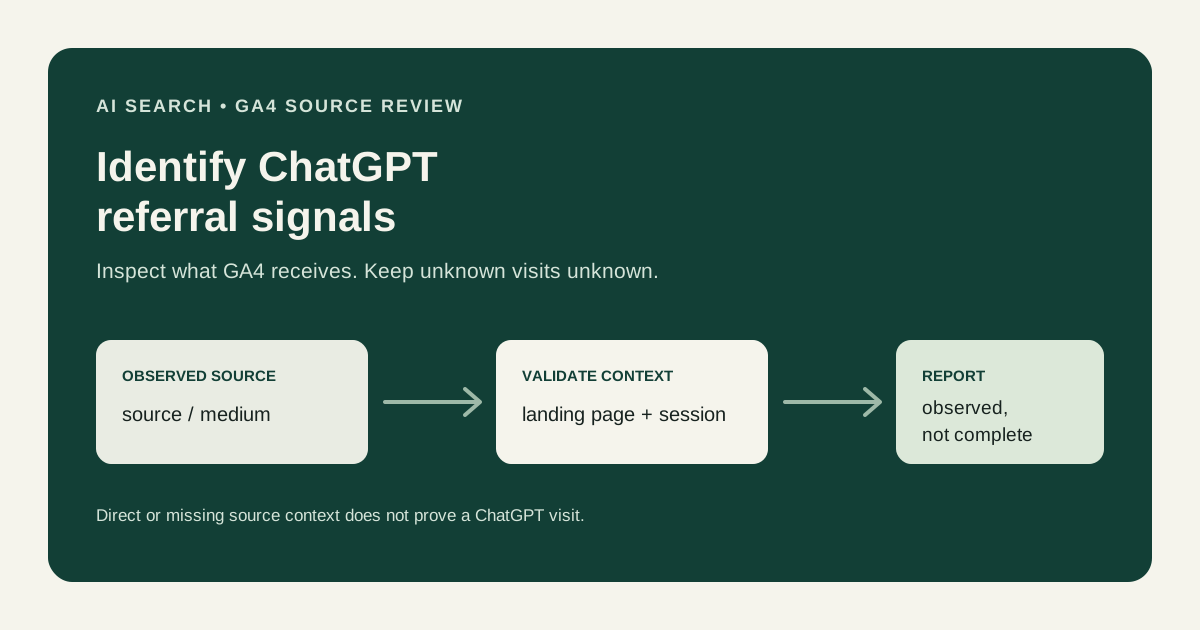
To identify ChatGPT traffic in GA4, inspect the source and medium values the property actually receives, then validate candidate referrals against landing-page and session context. This finds observable referrals—not every visit influenced by ChatGPT.
What “ChatGPT traffic” means in a GA4 report
GA4 does not have a universal, complete “ChatGPT-influenced” measurement. In practice, a useful starting definition is a visit whose collected source or referrer has been verified as associated with ChatGPT. Record the exact values and the rule used to include them.
Keep three groups conceptually separate:
| Group | Evidence | What it supports |
|---|---|---|
| Validated ChatGPT-associated referral | Recognized source/referrer value received by the site and checked against context | A report of observed referral sessions under the documented rule |
| Uncertain source | Candidate value has not been confirmed or could represent another flow | Further investigation, not a confirmed AI classification |
| No usable source | Direct, missing, or otherwise unavailable source context | Unknown acquisition context, not proof of ChatGPT influence |
Provider labels and referral behavior can change. Use values found in your property rather than assuming a particular hostname or source spelling is permanent or exhaustive.
Find candidate sources in GA4
In GA4, open an acquisition report and inspect Session source / medium for the relevant date range. Depending on the report and interface, you may need to customize the report or use an Exploration to add dimensions such as session source, session medium, landing page, and session default channel group.
Start with the dimension values, not the channel label alone. A session may be grouped as Referral even though the exact source is what you need to validate. Conversely, a channel grouping can hide individual source values under a broader reporting category.
Use an Exploration with a table:
- Add Session source / medium as a row dimension.
- Add Landing page + query string (or the available landing-page dimension) for context.
- Add sessions and the engagement or key-event metrics relevant to your question.
- Set a fixed date range and check the property, filters, comparisons, and reporting identity.
- Filter to candidate source values only after noting the unfiltered values they came from.
Do not assume that a particular ChatGPT-related label will occur in every property. Search the observed source values and validate candidates individually. The dimensions available in standard reports, Explorations, and the Data API can differ in naming and scope; keep your analysis at a consistent session scope.
Validate a candidate ChatGPT referral
Before creating a saved segment or custom channel rule, check:
- Exact value: Capture the source and medium exactly as GA4 reports them. Avoid broad matching on a generic word such as “chat” or “ai.”
- Landing-page context: Review which page received the visit and whether the path is plausible. A landing page is supporting context, not proof of its referrer.
- Session context: Check the session date, campaign fields if present, and whether the visit appears to be internal, a test, or a self-referral.
- Independent evidence: Where permitted by your access and retention policies, compare with first-party request/referrer logs or another appropriate source. Do not collect more user data than necessary.
- Repeatability: Confirm that the same source pattern appears consistently enough for the reporting purpose and record the validation date.
An unfamiliar referral is not automatically an AI service. A source string can be incomplete, changed, or associated with a different product or sharing path. Leave unverified values in an uncertain group until the evidence supports a more specific classification.
Why ChatGPT visits can appear as direct
GA4 may report a visit as direct when no usable campaign or referrer information is available for that session. That can happen when a user returns later, copies or shares a URL, follows a path that does not pass the original referrer, or uses a browser or application flow that limits source context.
Direct traffic is therefore not a hidden ChatGPT bucket. It can include many unknown or untagged paths. Do not reclassify direct visits as ChatGPT based only on a branded landing page, a survey answer, or an increase that happens near a content change. If you use an inference method, label it separately and explain its assumptions.
Consent, browser, and UTM considerations
Consent choices can affect whether analytics storage or events are collected. Depending on the implementation and reporting context, modeled information may be available under applicable platform behavior and eligibility; it does not recover a verifiable individual ChatGPT referrer for every visitor. Missing GA4 data is not evidence that a visit did not happen.
Browsers, apps, redirects, and privacy protections may omit or limit referrer details. Test the actual paths you can access, but do not assume one device or browser represents every user journey.
UTMs are useful when your organization controls the link placement and can apply a consistent campaign convention. You generally do not control links created inside ChatGPT responses, so you cannot rely on adding UTMs to those links or on third-party services preserving tags. Do not alter a user’s URL or inject campaign values without a legitimate implementation reason.
A practical reporting workflow
- Write down what you mean by “ChatGPT traffic”: observed source referrals, not all possible influence.
- Choose the property, date range, session scope, and relevant conversion definition.
- Inspect source/medium values and shortlist plausible candidates.
- Validate candidates with exact values, landing pages, and appropriate independent evidence.
- Keep confirmed, uncertain, and no-source sessions distinct.
- Compare engagement or key events only with consistent definitions and denominators.
- Save the matching rule, owner, and review date; check it when source patterns change.
- State that the result is a measured subset and does not establish causality.
For a broader treatment of referrer validation across AI services, see How to Measure AI Search Referral Traffic. The AI Search Analytics guide explains how referral evidence fits with engagement, conversions, CRM, and revenue; the AI Search Measurement Framework defines the evidence layers. For implementation and reporting support, visit the AI Search Analytics service.
FAQ
Can GA4 show every visit that came from ChatGPT?
No. GA4 can report source information that reaches the property and is collected. A referrer may be absent, lost, or replaced by a later session source, so observed referrals are not a complete count of ChatGPT influence.
Which source value should I search for?
Search the actual source and medium values in your property. Labels may vary over time and across navigation paths; validate the values you observe instead of relying on a fixed universal string.
Should I count direct sessions as ChatGPT traffic?
No. Direct means GA4 did not have usable campaign or referrer context for that session under its processing rules. It does not identify which prior interaction, if any, led the visitor there.
Can I use a custom channel for ChatGPT referrals?
You can create a documented reporting rule when there are validated source values and a reason to group them. Preserve the raw source values and avoid broad conditions that collect unrelated referrals.
Why do ChatGPT referrals and CRM leads differ?
They measure different stages and use different definitions. GA4 records collected events and sessions; the CRM may reject, deduplicate, qualify, or manually add records. Reconcile only with a permitted, reliable identifier and aligned date and status rules.
Takeaway
Identify ChatGPT-associated traffic from validated source evidence in GA4. Keep direct and unknown sessions separate, document the rule, and report the observed referral subset without presenting it as every AI-assisted journey.
Related cluster reading: Identify Gemini and other AI search traffic and track AI search traffic across GA4 and your CRM.
Need help validating AI referral reporting?
Review the source evidence, event definitions, and reporting limits before treating an AI referral group as a business outcome.