
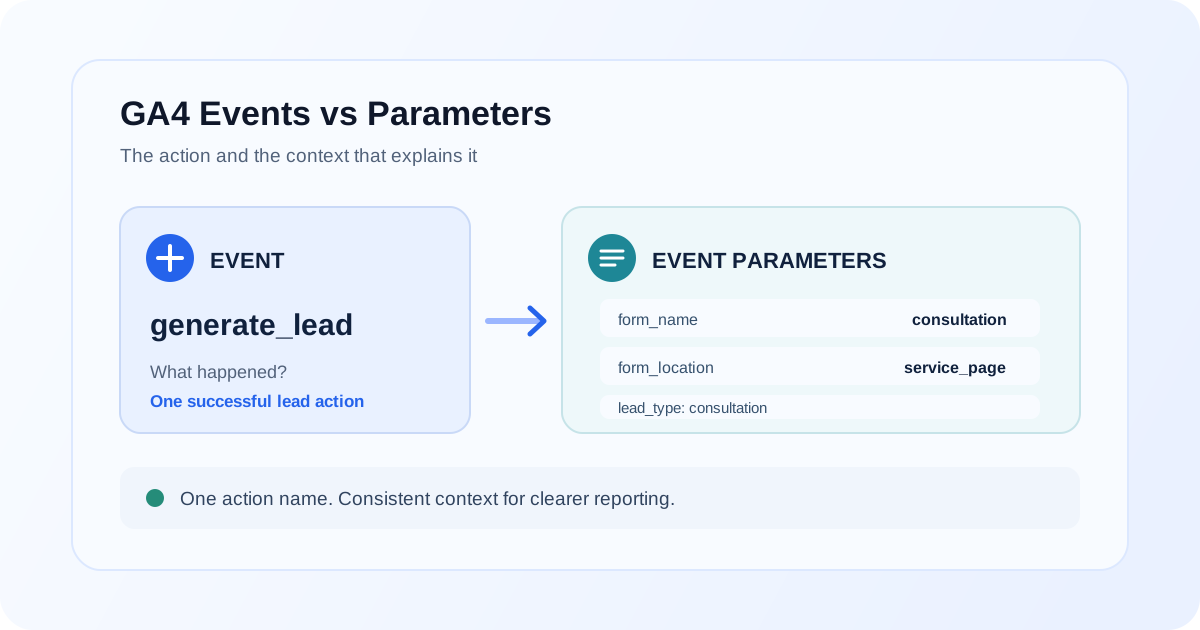
When you plan Google Analytics 4 tracking, it helps to separate two questions: what happened? and what context describes it? The event answers the first question. Its parameters answer the second.
For example, generate_lead can record that someone submitted a lead form. Parameters such as form_name, form_location, and lead_type can describe which form it was, where it appeared, and what kind of inquiry it represented.
This distinction matters when you design reports and implement GA4 event tracking in Google Tag Manager (GTM). If you make every variation a separate event, names multiply. If you send all context without a clear plan, reports become difficult to use. This guide explains how events and parameters work together and how to choose the right structure.
GA4 event vs parameter at a glance
| Event | Event parameter | |
|---|---|---|
| Answers | What happened? | What details describe that event? |
| Example | generate_lead |
form_name: "contact" |
| Applies to | One occurrence of an action | One named value attached to an event |
| Useful for | Counting or analyzing an action | Comparing the context or details of those actions |
| In GTM | The event name sent by a GA4 event tag | A parameter key and its value mapped into that tag |
Event = action. Parameter = context. A parameter does not become a new event, and an event can have multiple parameters.
What is a GA4 event?
A GA4 event is a recorded interaction or occurrence, such as a page view, a purchase, or a successful lead submission. GA4 receives events with names such as page_view, purchase, and generate_lead.
Depending on your implementation, events can be collected automatically, enhanced measurement can collect certain interactions, or your team can implement recommended or custom events. Pick a recommended event when it accurately describes the action; use a custom event name when no suitable recommended event fits.
The name should describe the action consistently, not every circumstance around it. If the same kind of lead submission happens on two forms, both may be represented by generate_lead; parameters can tell you which form was used.
What are GA4 event parameters?
Event parameters are key-value pairs attached to an individual event. They add details without changing which action the event represents.
For example, an event payload might contain:
event name: generate_lead
form_name: contact
form_location: header
lead_type: consultation
Here, form_name, form_location, and lead_type are parameter names; their values describe this particular lead submission. A later submission can send the same parameter names with different values.
Some parameters are already used by GA4's recommended events or built-in reporting. Others are custom to your measurement plan. A custom parameter appearing in a received event does not automatically mean it is available as a dimension in every standard report. When you need to use a custom parameter in GA4 reports or explorations, check whether you need to register an event-scoped custom dimension, and plan its reporting use before you rely on it.
Practical example: generate_lead with form context
Suppose a business has a contact form in its header and a consultation form on a service page. When either form is successfully submitted, send the recommended generate_lead event with parameters describing the submission:
dataLayer.push({
  event: 'lead_form_success',
  form_name: 'consultation',
  form_location: 'service_page',
  lead_type: 'consultation'
});
In this example, lead_form_success is the name of the message pushed to the data layer so GTM can react to it. It is not automatically the GA4 event name. A GTM custom-event trigger can listen for that data-layer event, then a GA4 event tag can send generate_lead with the three context parameters.
The values above are illustrative. Your site should pass real values that match your agreed naming convention, and the event should fire only after a successful submission. Do not send form field contents, email addresses, names, or other personal information as parameter values.
With the same parameter keys across forms, you can compare lead submissions by form, location, or lead type rather than stitching together several differently named events. Use values that are meaningful, stable, and useful for an actual analysis question.
Event name vs parameter name
Event names and parameter names are separate fields with separate jobs. For generate_lead, the event name identifies the action. A parameter name such as form_name identifies one detail on that event, and its value might be contact.
Although an event name and a parameter name could contain similar words, they are not interchangeable. For example, sending an event named consultation is not the same as sending generate_lead with lead_type: "consultation".
For readable GA4 event naming, agree on a consistent format, commonly lowercase words separated by underscores. Use recommended event names when they fit, check GA4's event-name restrictions, and avoid creating near-duplicates that differ only by capitalization or spelling.
How the Google Tag Manager flow works
A common GTM implementation passes an interaction through these steps:
- The site records a real success. After a form is accepted, the site pushes a data-layer message with its event key and relevant values.
- A GTM trigger listens for that message. For the example above, a custom-event trigger listens for
lead_form_success. - A GA4 event tag sends the GA4 event. Configure the tag's event name as
generate_lead. - The tag maps parameters. Set parameter keys such as
form_nameand map each to the corresponding data-layer variable. - The event is validated. Use GTM Preview and GA4 DebugView to confirm one successful submission sends the intended event name and parameter values to the intended property.
The site's data-layer event can have an implementation-specific name while the GA4 event uses the recommended name. Make this mapping explicit in your measurement plan to avoid confusing a GTM trigger name with an analytics event name.
For help organizing triggers, variables, and tags, see the Google Tag Manager service. If you are defining a new property and event structure, start with the GA4 setup service and document the decisions before adding tags.
Event parameters vs user properties
An event parameter describes one event occurrence. A user property describes an attribute associated with a user across events, subject to how the property is set and updated.
For example, form_location: "service_page" describes where one lead submission occurred, so it belongs on the event. A stable audience attribute such as a user-selected account tier may be a candidate for a user property if it is appropriate to collect, is maintained correctly, and follows your privacy requirements.
Do not use a user property merely because a value appears repeatedly. Choose based on what the value means, how long it should apply, and whether it should describe an action or a user. Do not send personal information in either event parameters or user properties.
When should you create a new event?
Create a separate event when the action itself is meaningfully different and your team needs to count or analyze it as a distinct action. A completed purchase and a lead submission are different actions, for example, so they should not share one event name simply because both are conversions.
Before adding a custom event, check whether a GA4 recommended event already describes the action. Also verify whether the existing implementation can represent the distinction with a parameter instead. Document the business definition and firing condition so everyone implements the same action consistently.
If you are migrating an older implementation, map each existing action to the intended GA4 event rather than renaming events ad hoc. The GA4 migration service can help review that mapping alongside the property and tagging changes.
When should you use a parameter?
Use a parameter when the same action can happen in different contexts and you need to distinguish those contexts in analysis. For lead submissions, a consistent generate_lead event can use:
form_nameto identify the form, such ascontactorconsultation.form_locationto identify where it appeared, such asheaderorservice_page.lead_typeto categorize the inquiry, such asconsultation.
Do not add parameters just because the implementation can send them. Each should answer a useful reporting question, have a defined value format, and avoid sensitive or unnecessary data.
Common implementation mistakes
| Mistake | Why it causes problems | Better approach |
|---|---|---|
| Creating a different event for every form or page | Splits one action across many names and complicates comparisons | Use one event for the action and parameters for relevant context |
| Sending context as part of the event name | Makes event lists and reporting harder to maintain | Keep a stable action name; send context as parameters |
| Treating the data-layer event as the GA4 event | GTM's trigger name may be mistaken for the name sent to Analytics | Document and validate the mapping from trigger to GA4 event name |
| Using inconsistent parameter keys or values | Similar data can be fragmented by spelling or capitalization | Define keys and allowed values in a shared taxonomy |
| Assuming every custom parameter is report-ready automatically | Collection and custom-dimension registration are separate steps | Verify the parameter in DebugView and configure reporting access when needed |
| Firing a lead event on a button click instead of a successful submission | Clicks can include validation errors or abandoned submissions | Trigger after the site confirms the intended success |
| Sending form contents or other personal information | Can violate analytics data policies and privacy expectations | Send only the minimum non-identifying context required |
For ecommerce implementations, the same modeling principle applies to actions such as purchase: distinguish the event from the parameters describing it. If revenue in GA4 differs from your store, review the implementation in context with why GA4 and an ecommerce platform can show different revenue.
Debugging and validation
Test one real interaction at a time and follow the data from its source to the GA4 property:
- Complete the form and confirm the site reached its real success state.
- Inspect the data layer to verify the trigger event and expected values were pushed.
- Open GTM Preview and confirm the intended trigger and GA4 event tag fire once.
- Inspect the tag's resolved event name and each parameter key and value.
- Check GA4 DebugView in the correct property for
generate_leadand its parameters. - After collection, check reporting configuration, date range, and custom-dimension availability as appropriate.
If the event or a parameter is missing, trace it backwards from DebugView to the tag mapping, GTM variable, and original data-layer push. Check spelling, capitalization, variable resolution, consent behavior, duplicate tags, and the property receiving the request before changing the implementation.
For a step-by-step investigation when data does not arrive, follow the GA4 events not showing debugging guide. If the issue spans multiple events or layers, a GA4 audit can help assess the implementation against the measurement plan.
Build a clean event taxonomy
A small event taxonomy helps marketing, analytics, and development teams implement the same definitions. For each event, record:
- Business action: What user action or system occurrence does it represent?
- GA4 event name: Is there a suitable recommended event, or is a custom name needed?
- Firing condition: What must be true for the event to fire, and when?
- Parameters: Which details are necessary, what do their keys mean, and what values are allowed?
- Reporting need: Which questions should this event and its parameters answer? Does a custom dimension need to be registered?
- Owner and validation: Who maintains the implementation, and how will it be tested?
Keep definitions consistent across site code, GTM, and analytics documentation. Review them when a form, checkout, or user flow changes. A clear taxonomy reduces duplicated tags, ambiguous reporting, and one-off event names.
FAQ
What is the difference between a GA4 event and a parameter?
An event names an action, such as generate_lead. Its parameters are key-value details about that occurrence, such as form_name: "contact". One event can include multiple parameters.
Can one GA4 event have multiple parameters?
Yes. An event can carry multiple parameters. Choose parameters that provide useful context, use consistent keys and values, and avoid unnecessary or sensitive information.
Should each form have its own GA4 event?
Not necessarily. If each form completion represents the same action, a consistent event such as generate_lead with a form_name parameter often makes forms easier to compare. Use separate events when the actions themselves are meaningfully different.
Are GTM custom-event names the same as GA4 event names?
Not automatically. A GTM custom-event trigger listens for a data-layer event name, while the GA4 event tag has its own event name setting. The trigger can listen for lead_form_success and send generate_lead to GA4.
Why can I see an event parameter in DebugView but not in my report?
DebugView helps confirm collection, but using a custom parameter in reports may require registering the appropriate event-scoped custom dimension. Also check the report, property, date range, and processing status.
When should I use a user property instead of an event parameter?
Use an event parameter for context about one occurrence. Consider a user property for an appropriate attribute associated with the user over time. Define how it is set and updated, and do not send personal information.
Final takeaway
In GA4, an event is what happened and its parameters are the context. Use stable event names for distinct actions, add parameters for useful details, and validate the actual values sent through GTM and into GA4. A documented taxonomy makes the resulting data easier to implement, troubleshoot, and report on.
Need a measurement plan your team can maintain?
A GA4 audit can help align event names, parameters, GTM implementation, and reporting requirements before inconsistent tracking spreads.