
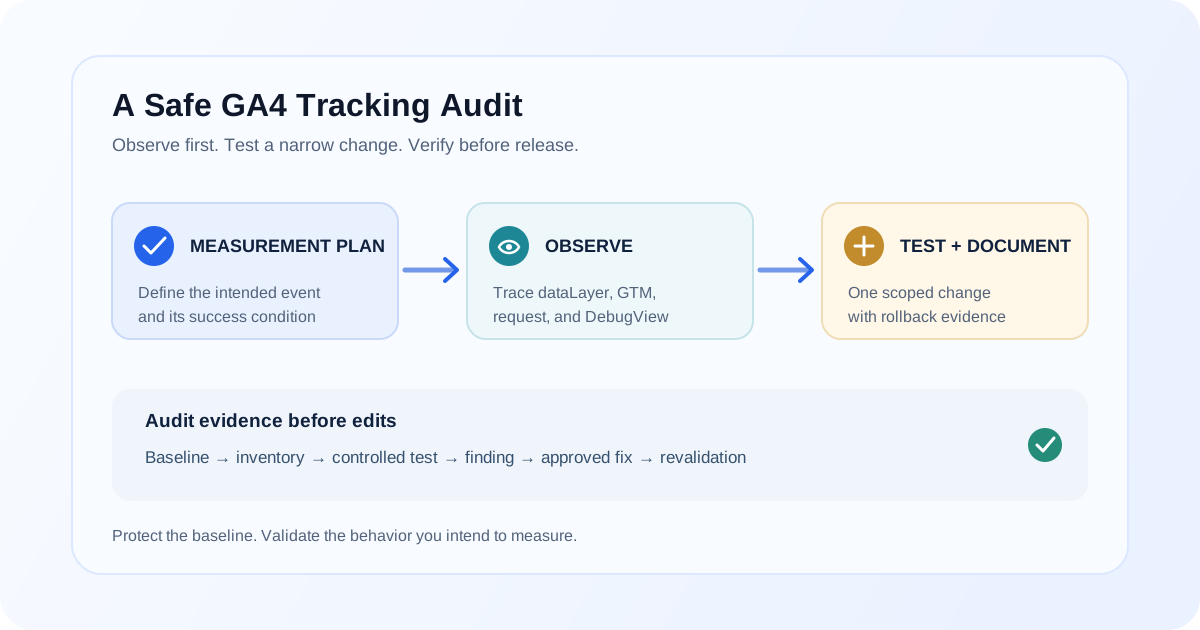
A GA4 tracking audit should help you understand what the property collects, what it should collect, and where the two differ. It should not begin with someone changing tags until a report looks plausible. Unplanned edits can create duplicate events, remove valid measurement, or make it harder to explain when data changed.
Treat the audit as an evidence-gathering exercise first. Document the current setup, test it in a controlled way, compare observed behavior with an agreed measurement plan, and then make narrowly scoped changes with a way to verify or roll them back.
Start with the measurement contract
Before opening GTM, establish what the organization intends to measure. For each important action, record its business meaning, event name, firing condition, required parameters, and reporting use. Clarify which events are conversions (key events) and which are diagnostic or supporting events.
An event inventory might include:
| Action | Intended event | Success condition | Evidence to collect |
|---|---|---|---|
| Lead form accepted | generate_lead or documented custom event |
Form returns a real success state | Form response, data-layer push, GA4 request |
| Order completed | purchase |
Store confirms an order | Order ID, value, currency, items, outgoing event |
| Product detail viewed | view_item |
Product detail is displayed | Item ID, item name, page context |
Use event names that match GA4's recommended definitions when they accurately describe the action. If your team uses custom names, document them and their meaning. A practical guide to GA4 events and parameters can help distinguish the action from its contextual fields.
A safe audit sequence
1. Preserve a baseline
Record the GA4 property and data streams in scope, relevant reporting settings, conversion/key-event configuration, filters, and connected integrations. In GTM, note the container ID and published version. Save or export the current container configuration through your normal governance process before proposing changes.
Capture a baseline of representative reports and known test behavior. This is not to certify that current data is correct; it provides context for understanding what changed and when.
2. Inventory collection paths
Identify every route that can send analytics events: GTM containers, Google tag configuration, site code, ecommerce or form plugins, server-side tagging, and platform integrations. Check whether more than one path sends the same event. Do not infer implementation ownership from tag names alone.
For a guided review of the container itself, see the Google Tag Manager service. For a new property or measurement foundation, start with GA4 setup.
3. Test representative journeys
Choose a small set of business-critical journeys: a form submission, checkout, sign-up, or other key action. Use a test environment when available. For each test, note the user action, success state, data-layer event, GTM trigger and tag, outgoing request, and event observed in GA4 DebugView.
Follow the sequence in order. If the event is missing, the first boundary where expected evidence disappears narrows the problem. The GA4 events not showing debugging guide covers this trace in more detail.
4. Review event quality and reporting
Compare actual names, parameters, and values with the event inventory. Look for spelling variants, missing identifiers, duplicate sends, unexpected value formats, and parameters that do not answer a defined question. Confirm custom dimensions and metrics are configured when reporting requires them. The practical guide to GA4 events and parameters explains how to separate an event name from contextual values.
Then check property selection, date ranges, report filters, traffic filters, attribution settings, and processing. A number that differs from a source system may reflect different definitions rather than a broken tag; for an ecommerce example, see why GA4 revenue can differ from an ecommerce platform.
5. Separate findings from proposed changes
For each finding, document:
- The expected behavior and the observed evidence.
- The affected pages, events, properties, or audiences.
- The likely cause and what has not yet been confirmed.
- A minimal proposed change and how it will be tested.
- The owner, approval, deployment plan, and rollback approach.
Classify findings by impact and confidence. Avoid “fixing” several unrelated tags at once: a controlled change is easier to validate and attribute.
What to avoid during an audit
| Risky shortcut | Why it creates risk | Safer audit practice |
|---|---|---|
| Editing production tags before capturing the current setup | Removes the baseline and can introduce new collection behavior | Document the current state and preserve the container version |
| Treating every report difference as a tracking defect | Systems may count different stages, scopes, or attribution | Align definitions and compare individual journeys where possible |
| Adding another tag when an event appears missing | The original event may arrive elsewhere or be delayed, causing duplicates | Trace the existing request path before adding implementation |
| Testing with real customer information | Exposes unnecessary personal data and can contaminate analytics | Use approved test data and avoid sending personal information |
| Publishing multiple fixes together | Makes regressions and cause difficult to isolate | Make scoped changes, preview, publish under change control, and retest |
A change-control workflow
- Record the baseline, current container version, and affected measurement definitions.
- Reproduce the issue with a controlled test and collect evidence at each boundary.
- Form one testable hypothesis about the first point of failure.
- Make a narrow change in a GTM workspace or test environment.
- Validate expected events, parameters, destinations, and non-duplication in Preview and DebugView.
- Obtain the required review and publish through the normal release process.
- Recheck the affected journey and relevant reports after deployment.
- Document the outcome and rollback if the change causes unintended collection.
When a broader audit is useful
A focused check may be enough for one isolated event. A broader review is useful when multiple journeys are affected, measurement definitions are undocumented, duplicate collection appears across systems, traffic filters are uncertain, or the property changed hands without clear implementation records.
The GA4 audit service can help structure an implementation review around evidence and priorities. If an audit identifies duplicate ecommerce transactions, compare it with GA4 duplicate purchase event troubleshooting before altering purchase tags.
FAQ
What should a GA4 tracking audit include?
Review the measurement plan, property and stream settings, event and parameter collection, GTM and other collection paths, consent behavior, filters, reporting configuration, and representative user journeys. Scope the checks to the business questions and evidence available.
Can a GA4 audit change production data?
Inspection alone does not require changing production tags. Testing and implementation changes can affect collection, so capture a baseline, test in a workspace or approved environment, and use a reviewed deployment and rollback process.
How do I audit GA4 events in GTM?
Use GTM Preview on a representative journey. Compare the observed data-layer event, trigger conditions, tag firing, resolved values, and outgoing request with the documented event definition.
Should I fix every discrepancy I find?
Not automatically. First determine whether the difference is an implementation defect, a reporting definition difference, a filter, or expected system behavior. Prioritize confirmed issues by business impact and confidence.
How often should GA4 tracking be audited?
Review tracking when significant site, checkout, consent, GTM, or property changes occur, and periodically according to your governance needs. The appropriate cadence depends on how often the implementation and reporting requirements change.
Final takeaway
Audit GA4 by documenting the intended measurement, collecting evidence from real journeys, and isolating the first point where observed behavior differs. Preserve a baseline, test narrow changes, and validate the release before treating a report discrepancy as fixed.
Need a structured review of your GA4 setup?
A GA4 audit can document the intended measurement, inspect implementation evidence, and prioritize fixes without making untested production changes.